
macOS
Signed with Reliqra’s Apple Developer ID, notarized by Apple and stapled for offline Gatekeeper verification. Universal for Apple silicon and Intel Macs.
Print packing labels as lots sell in your Whatnot show. While you are signed in, Reliqra sends each label through the printer queue already installed on your Mac or Windows PC, while keeping you in control when the physical result is uncertain.
Print Bridge is a first-party desktop app and native helper for the Reliqra browser extension. The app shows installation health, browser integration, printer queues and recent local outcomes without hiding what the printer can and cannot prove.
Choose a label printer already configured in macOS or Windows. Reliqra does not use DYMO Connect or another vendor web service as its runtime; your operating system still needs a working printer driver.
Reloads, duplicate sale events and browser restarts reuse the same durable print intent instead of quietly making another copy.
If the operating system accepts a job but the final result is unclear, Reliqra says “Outcome unknown” and waits for your deliberate reprint.
The Print Bridge and browser extension work together. A current Reliqra sign-in is required before the extension can discover, configure or submit through the helper. Install it on each Mac or Windows PC that will send labels to a local printer queue.
Signed with Reliqra’s Apple Developer ID, notarized by Apple and stapled for offline Gatekeeper verification. Universal for Apple silicon and Intel Macs.
Authenticode-signed as RELIQRA LLC through Microsoft Artifact Signing, with a trusted timestamp. Installed and checked on Windows 11 Pro.
Need a hand? Visit Reliqra Support or email support@reliqra.com.
Open the Reliqra browser extension and sign in to your account. Signed-out and expired sessions cannot use Print Bridge.
Run the signed installer on the same computer as your Chromium browser. Open Reliqra Print Bridge and confirm that Native helper and Browser integration are ready, then restart the browser if it was open.
Add the printer in macOS or Windows, load the matching stock and confirm it prints from another application.
In the Reliqra dock, open Markets → Live label printer. Select the exact queue, label size and DPI.
Print a test label. Check one copy, readable text, a scannable QR, and no clipping. Its PID 999999 is fictional; to verify item lookup, use Print PID label on an existing Whatnot order tied to a real Reliqra item, then confirm that item opens before enabling auto-print.
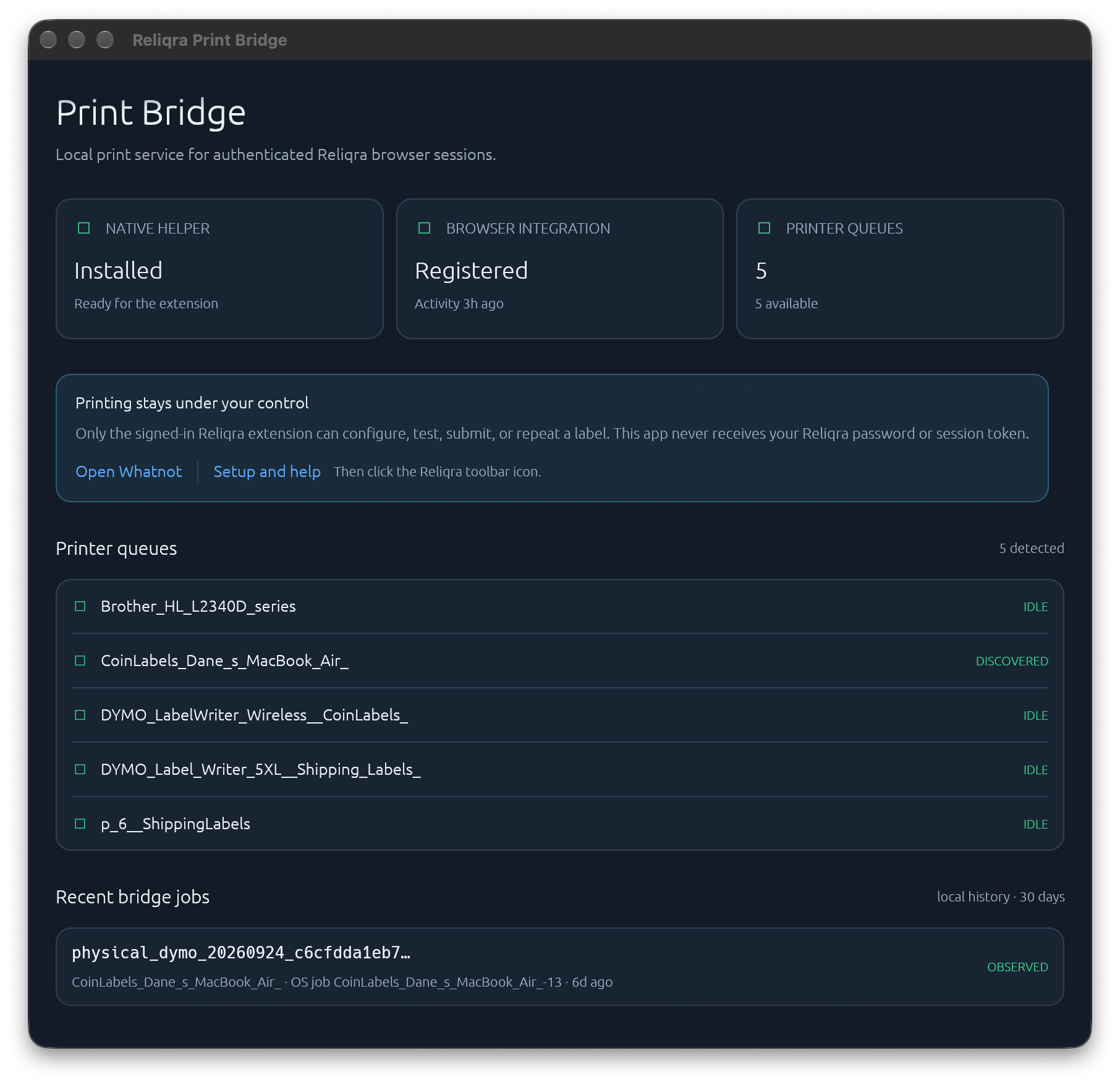
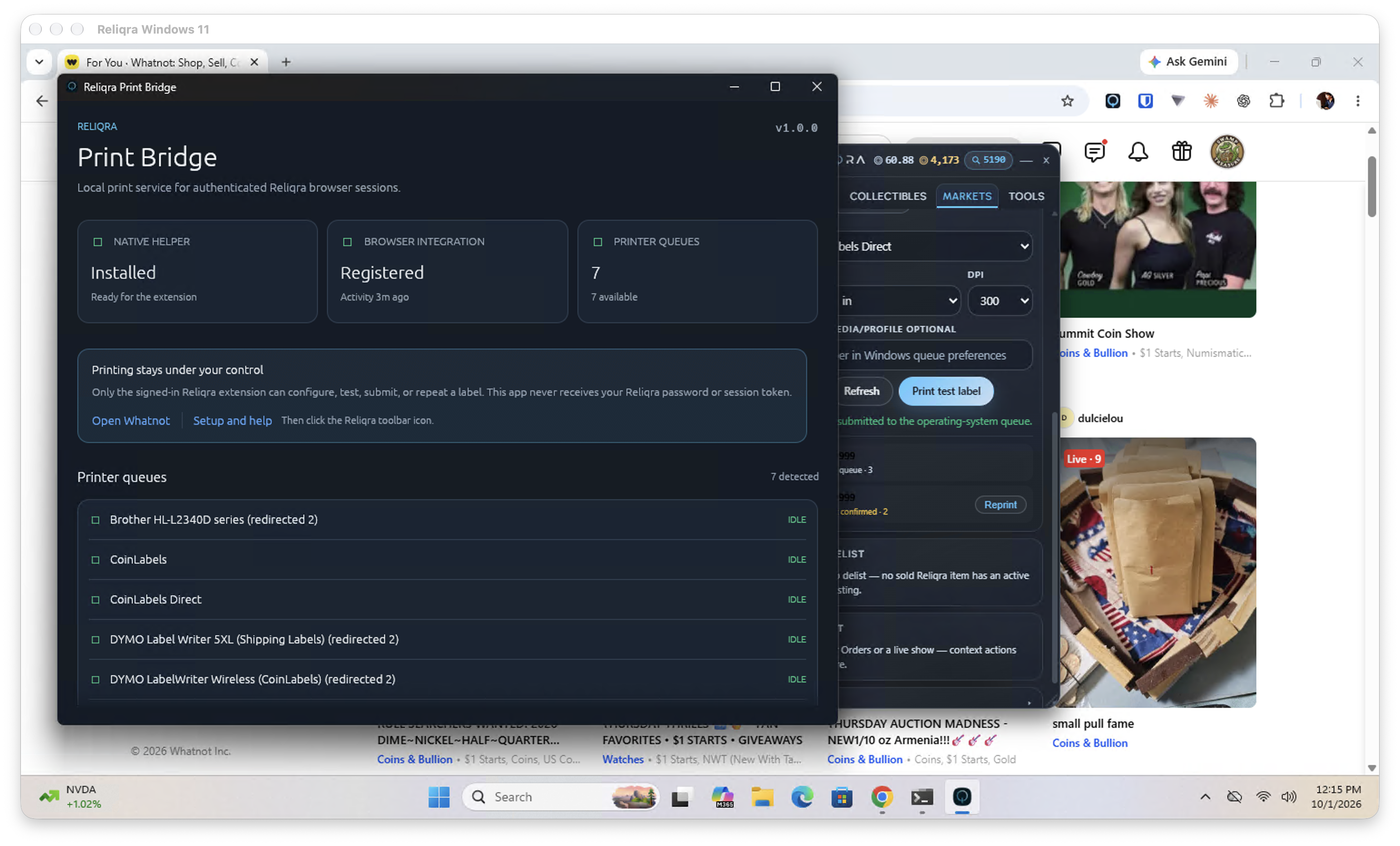
Print Bridge receives trusted jobs from Reliqra for the Web. Install the extension, sign in, and use the Markets tab to finish setup.